Hippius Drive uses zero-knowledge encryption, which is why it asks you to create an unlock password the first time you upload, preview or download a file. That one extra step is the reason we can't read your files, and the reason there is no "forgot password" email.
Signing in with Google, GitHub, or Apple tells us who you are. It doesn't unlock anything. Your files stay sealed until you type a second password that only you know, because Hippius Drive encrypts every file on your device before it leaves. We never hold a key we could hand back. This guide covers what the password protects, why there is no way around it, and what to do if you forget it.
What Is Zero-Knowledge Encryption?
Zero-knowledge encryption means the service that stores your data has no way to read it, because it never holds the key. Your files are scrambled on your device before they upload, and the key that unscrambles them stays with you. The provider keeps ciphertext (the scrambled, unreadable version of your file) and nothing more.
That differs from what many people picture when they hear cloud encryption. Plenty of mainstream storage services encrypt your files after they reach their servers. That protects against outside attackers, and it's a legitimate design, but the provider still holds the keys and can decrypt your data. In a zero-knowledge system the encryption is client-side. It happens on your device, so there's no key for the provider to hold.
That is how Hippius Drive works, as end-to-end encrypted cloud storage. By the time a file reaches the network, it's already unreadable to us and to the infrastructure that stores it.
What the Unlock Password Actually Protects
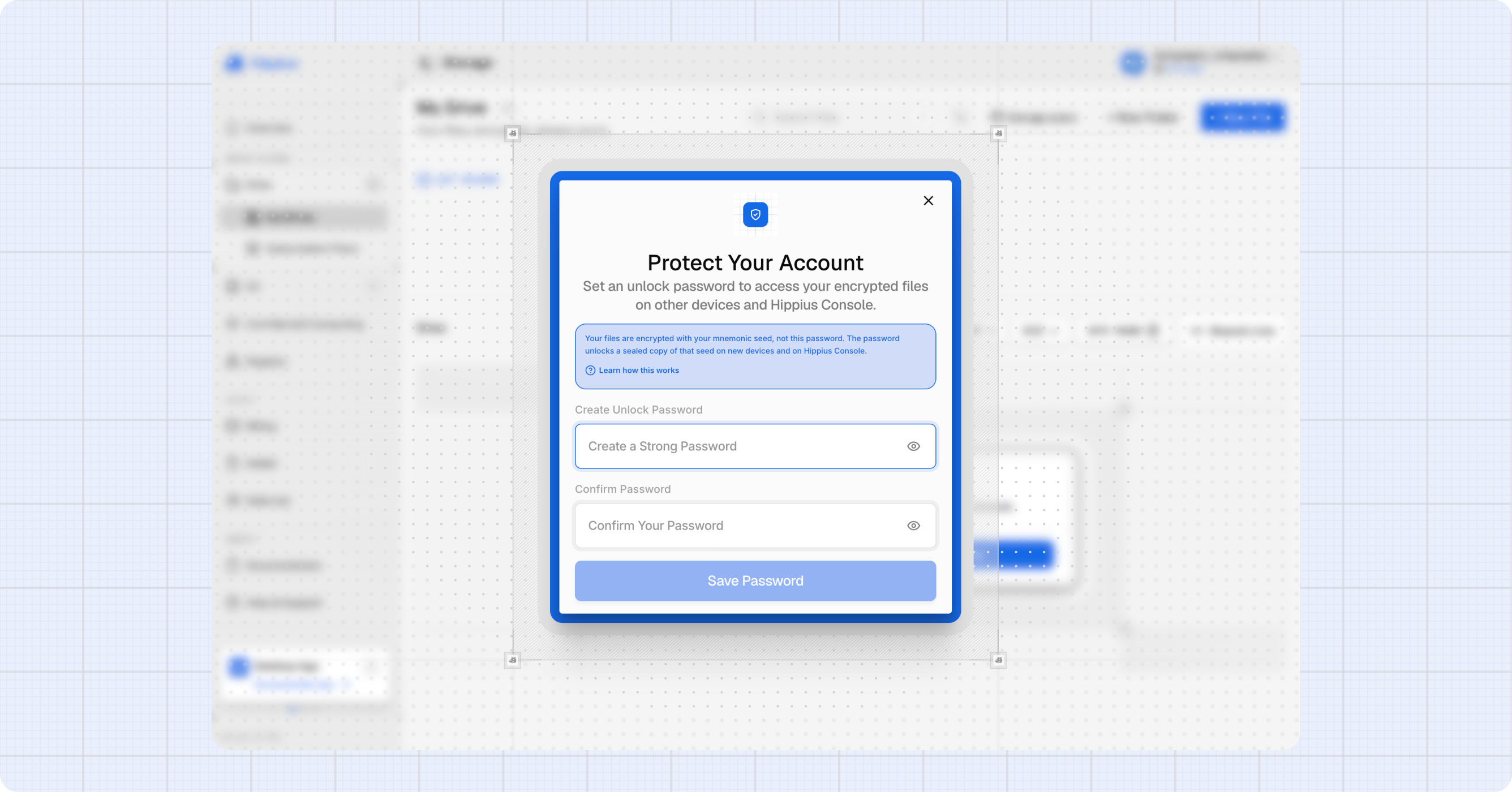
The password doesn't encrypt your files directly, which surprises most people. Instead, three pieces work in a chain.
Your files are encrypted with a key that comes from a 12-word recovery seed. The unlock password encrypts that seed. The result is a sealed blob, stored on Hippius servers. The desktop app also keeps a copy on your device. Our servers hold something they can't open, because the password that opens it never reaches us.
The first time you upload, preview or download in the console, it asks you to create the password. From then on, the console asks for it each time you open it, because it's only held in memory. The desktop app, where you'll find it under Settings > Security, asks once per device and then remembers it in your system keychain.
A new device follows the same path. You type your password, your browser downloads the sealed blob, and it decrypts the seed locally. Your files open from there, and the password never leaves your device at any point. If you change your password later, only the blob is re-encrypted. Your files aren't touched.
Why Hippius Can't Keep the Key for You
If we could hand you the key, we could also read your files. Those two abilities come as a pair, which leaves three ways to design the system:
- Type the seed every time. You enter all 12 words of your recovery seed on every device, every session. That's safe, but a poor and slow user experience.
- Store the seed in readable form. We keep it and return it when you sign in. That's easy for you, but it ends the promise, because anyone with access to that seed could decrypt your files, including us.
- Keep the seed encrypted under a password we never see. We store only a sealed copy that we can't open. This is the option we opted for.
The third option is the unlock password. It's the only one that stays usable without giving up the promise. The provider never holds your key or password, so it can't reset them. Bitwarden and Proton work on the same principle.
What Happens If You Forget Your Unlock Password?
There's no reset email, because we have nothing to reset. What you do have is your recovery seed.
In the console, click "Forgot your password", then “Use your mnemonic seed and set new password”, and enter your 12 words. The console checks them by decrypting one of your own files, and only then lets you set a new password. If the words don't open your files, nothing changes. If something goes wrong while the console reads your files, it tells you it couldn't verify the seed. It never reports a network problem as a wrong seed. The unlock password docs walk through each screen.
The trade-off is real. If you lose both the password and the seed, your encrypted files can't be recovered, by you or by us. That's the cost of files that nobody but you can read. Store the seed somewhere you'll still be able to find next year, not just next week.
Where to Find Your Password and Recovery Seed
- Console: open Settings > Unlock Password to set or change your password.
- Desktop app: open Settings > Security, where the password sits next to the seed backup. The desktop settings docs cover the rest.
- The seed itself: the console shows it once, at first setup, for accounts that never installed the desktop app, and never again. To see it again, open Settings > Security > Backup Mnemonic Seed in the desktop app.
Write the seed down the first time you see it, and keep that copy offline.
Common Questions About Zero-Knowledge Encryption
Can you give me an example of a zero-knowledge proof?
A common example is proving you're over 18 without showing your date of birth. The checker learns that the statement is true and nothing else. A classic teaching version has someone prove they know the secret word to a door inside a looping cave without ever saying it. This is separate from zero-knowledge encryption, which is about what a storage provider can see.
Can AI break encryption?
Not the encryption used today. In July 2026, Anthropic reported that its Claude Mythos Preview model found a faster attack on a deliberately weakened, seven-round version of AES, plus a weakness in HAWK, a post-quantum signature scheme still under review. Anthropic says neither affects systems in use today. The practical risks are still weak passwords, phishing and lost keys.
Final Thoughts
Zero-knowledge encryption asks for one extra password and one carefully stored seed. In return, nobody but you can read your files, and that includes Hippius. That's what zero-knowledge cloud storage costs, and it's what it buys.
Set up your unlock password the next time you open Drive in the web console or the desktop app. If the console shows you a recovery seed, write it down before you continue.
About Hippius
Hippius is a distributed cloud platform built to give users a verifiable alternative to providers like AWS and Google Cloud. Files are encrypted and distributed across an independent network rather than held in a single provider's data center. Every storage claim, payment, and miner action is recorded on Hippius's own blockchain, so instead of asking users to trust the platform, Hippius lets them check it for themselves. On top of that foundation sits a full product suite: personal cloud storage, S3-compatible object storage with no egress fees, confidential compute on secure hardware, and a container and model registry for AI. Hippius runs as Subnet 75 on Bittensor and was built by The Nerve Lab.
Website | Discord | Twitter | Docs | Blog | Medium | Forum | Github | LinkedIn