
The Hippius CDN now has a WAF, available on every zone. A CDN WAF decides which requests reach your content, and ours makes that decision inside attested confidential VMs, so your TLS and your request content stay inside the confidential machine. Not even the operator of the server it runs on can see them. It starts at $5 per zone a month, and requests it blocks are never billed.
That last part matters more than it sounds. A firewall can only filter what it can read, which means every request to your site has to be decrypted somewhere before a rule can look at it. Here's what launched, where that decryption happens, and how to switch it on.
What does the Hippius CDN WAF do?
A web application firewall looks at each HTTP request and decides whether to serve it. On the Hippius CDN, that check runs on the cache node before the request reaches the cache or your bucket, and it applies to every request, cache hits included.
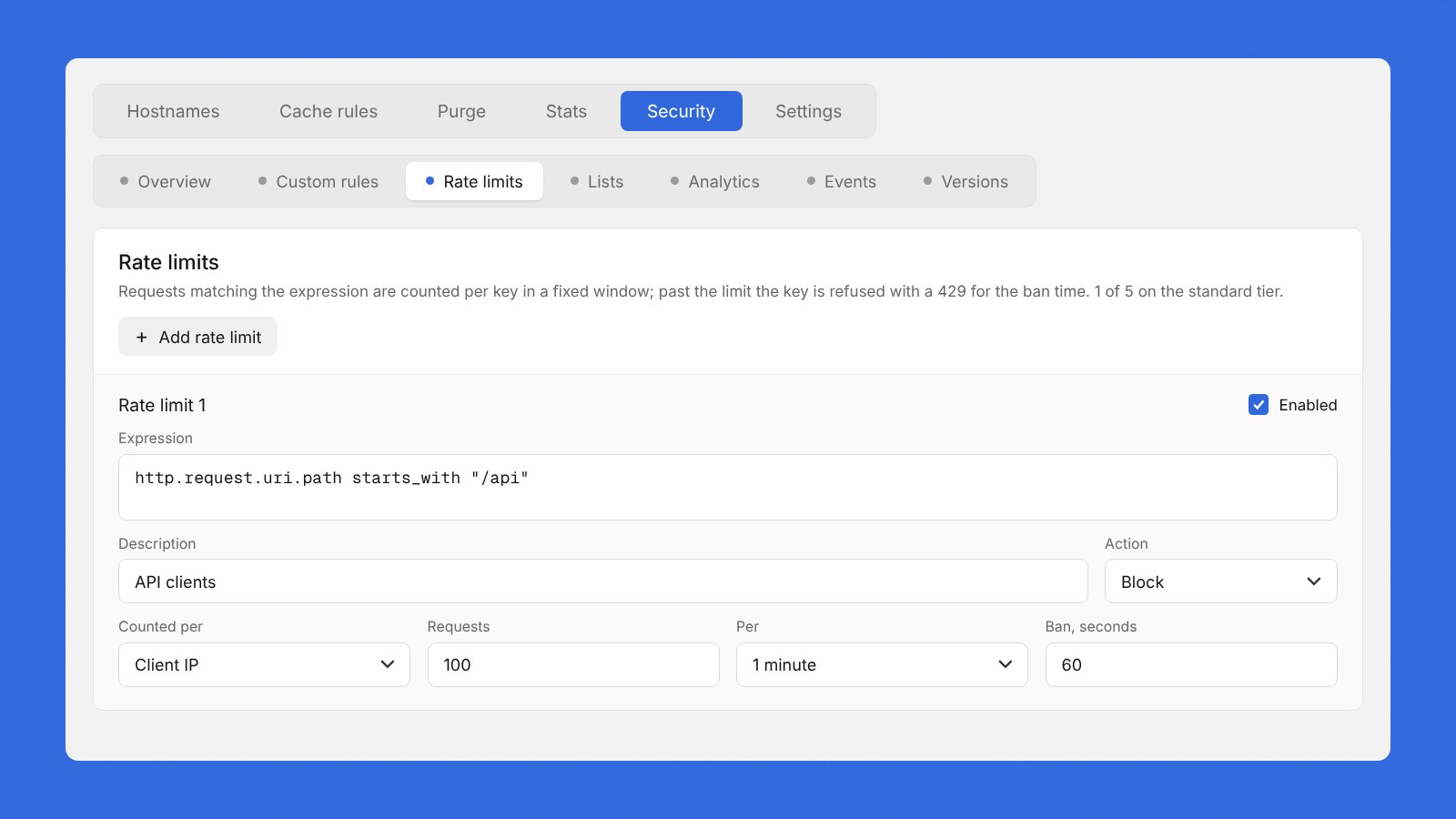
It covers the jobs most teams actually need a firewall for. Custom rules let you block a scraper by its user agent, keep an admin path open only to your office, or shut out countries you don't serve. Lists hold sets of IP addresses, networks or countries you can reuse across every zone on your account. WAF rate limiting slows down a client that's hammering a zone, without affecting everyone else. If you've written firewall rules before, the syntax will feel familiar: it's based on the open source wirefilter rule language.
The WAF is an add-on you switch on per zone, from the zone's Security tab. If you haven't set up a zone yet, the Hippius CDN serves your S3 Compatible bucket from cache nodes close to your visitors.
Why your firewall has to read every request
To serve HTTPS from the edge, CDN edge servers handle the TLS handshake on behalf of your origin. The encrypted connection ends there, and the request is readable there. A WAF depends on that, because a rule that checks a path or a header has to see the path or the header.
So your traffic always gets decrypted somewhere. The question is who else can see it once it is. On a standard CDN, the answer includes whoever runs the machine.
Hippius runs the WAF inside attested confidential VMs. If you've used Hippius Confidential Compute, it's the same idea: the VM's memory is protected by the hardware, and attestation confirms the machine is running the expected software before it handles anything. Your TLS and request content are decrypted and filtered inside that machine and never leave it.
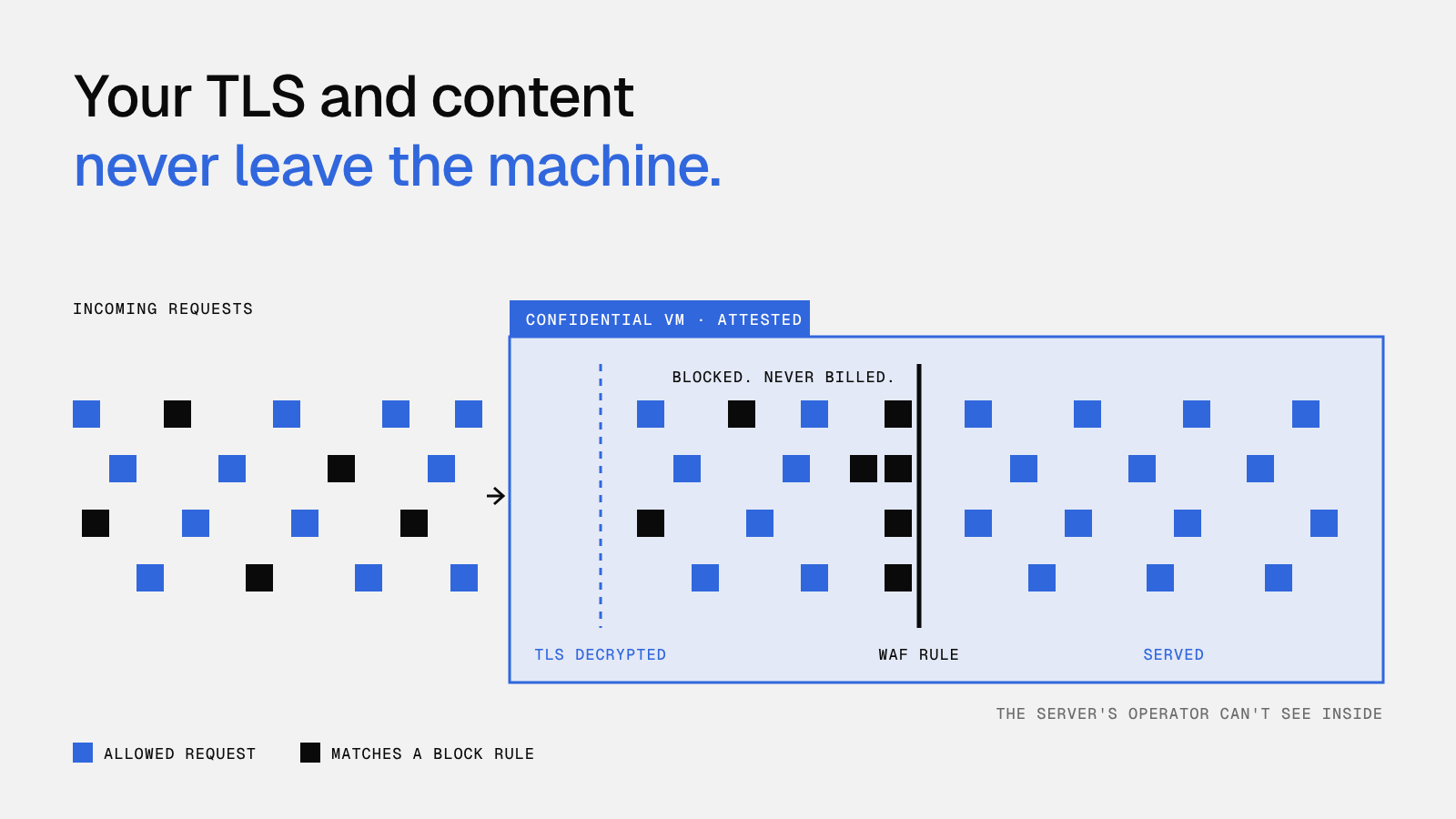
To be precise about what does get kept: when a request matches a rule, the WAF can save a sample so you can see what your rules are catching. Samples show up in your console for your account's CDN admins and operators, query values are never stored, and you can turn sampling off completely.
Change rules without breaking your site
The quickest way to take a site down is a firewall rule that's slightly too broad, so the WAF is built to make changes low-risk.
Start in log-only mode and every rule runs against real traffic, counting what it would have caught without refusing a single request. Once the numbers look right, switch it on. You can also test a single rule against an example request before publishing anything. And every change is saved as a version, so if a rule does misbehave, rolling back to the previous one takes a click.
What does it cost?
The WAF starts at $5 per zone a month on the Standard tier. Advanced, at $20 per zone a month, raises the limits on rules, rate limits and lists, and adds regular expressions and longer event history. Both are billed by the hour from your balance, so you only pay while it's switched on.
Requests the WAF blocks are never billed. When a zone is under pressure, the traffic you're filtering out doesn't add to your request or bandwidth costs, and the WAF counts toward each zone's monthly spend cap, so your hard limit still holds.
Common questions about the Hippius WAF
What's the difference between a WAF and a firewall?
A network firewall filters traffic by addresses and ports. A web application firewall works at the HTTP level, so it can make decisions based on what a request is asking for, like the path or the user agent, as well as where it's coming from.
Can I block traffic by country?
Yes. A single custom rule can block or allow visitors by country, and a country list lets you reuse the same set across all your zones.
Do I need to change my DNS to use the WAF?
No. The WAF runs on the cache nodes that already serve your zone. Switch it on from the Security tab and it covers the zone's default hostname and any custom domains on it.
The WAF is live on every Hippius CDN zone today, from $5 per zone a month. Open the console to turn it on for your first zone, or read the WAF docs for the full rule reference.
About Hippius
Hippius is a distributed cloud platform built to give users a verifiable alternative to providers like AWS and Google Cloud. Files are encrypted and distributed across an independent network rather than held in a single provider's data center. Every storage claim, payment, and miner action is recorded on Hippius's own blockchain, so instead of asking users to trust the platform, Hippius lets them check it for themselves. On top of that foundation sits a full product suite: personal cloud storage, S3-compatible object storage with no egress fees, confidential compute on secure hardware, and a container and model registry for AI. Hippius runs as Subnet 75 on Bittensor and was built by The Nerve Lab.
Website | Discord | Twitter | LinkedIn | Docs | Blog | Medium | Forum | Github