

Desktop appBest experience
Capture from the menu bar, from any app.
One shortcut, no window to find. The most complete way to record and screenshot.
Record your screen or take a screenshot. It's encrypted on your device, saved to your Drive, and the share link is already on your clipboard. Then see how many watched and what they said. Free to start.
CTRL for Command, ALT for Option on Windows and Linux

Hippius stores your capture. It can't watch it.
No folder to pick, no upload to start.
Viewers need a browser, not an account.
Views, reactions and comments on paid plans. Comments are encrypted too.
One shortcut, no window to find. The most complete way to record and screenshot.

Handy on a computer that isn't yours. Works in Chrome, Edge, Safari and Firefox.

For people who live in the browser. Add it in a click, connect your Hippius account once, and capture any page.
The moment a capture is saved, its link is on your clipboard. Anyone with it can watch in their browser, no account needed. Links never expire unless you want them to.

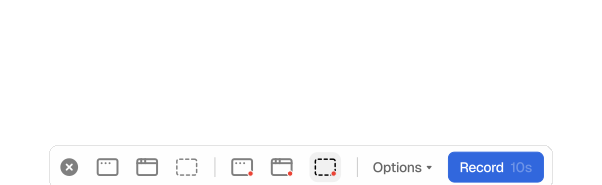
Same three choices to record or screenshot. Drag an area, click a window, or take it all.
Change them anytime in Settings.
For Mac
Windows & Linux
Crop, annotate and blur what's private. Then share it straight from your Drive.
 Recording 2026-10-27 at 23.23.46…Download

On a paid plan, every capture link comes with insights, comments and reactions. You see how many people watched and how far they got. Viewers reply at the exact moment they mean.

Insights
Views and viewers for every link, and a chart of how much of the video people actually watched.
Comments and reactions
A comment on a video carries its time; click it to jump there. Reactions float over the video at the moment people sent them. Reply to a comment, delete one, or block a commenter.
Yours to switch
Insights, comments and reactions each have their own switch per link. Viewers see a note when views are counted.
What's in your capture
Only the encrypted file is ever stored.
The key that opens a shared link
It sits after the # in the link. Browsers never send that part to a server.
Who you are, on the share page
No email or account address appears on it. Only the file.
What people comment, and their names
Comments and the names people comment under are encrypted with the link's key, like the file itself.
A shared file's name, type and size
Automatic names only say when the capture was taken.
The chat preview picture, if you keep previews on
Your choice, per capture or for all of them. Password links never get one.
Views and reactions, when they're on
How many times a link was opened, how much of a video was watched, and which emoji people sent. Viewers see a note that views are counted. Turn each off per link.
Encrypted on your device. Hippius stores your recordings but can't watch them.
The link is copied before you've let go of the mouse.
Captures are ordinary Drive files. Rename, move, download or share them again.
Unlimited screenshots and sharing on every plan, including Free.
Screen recording and screenshots come with every Drive plan. The free plan includes 10 GB of storage.
Free plan: unlimited screenshots and 25 recordings of up to 5 minutes. Paid plans: no limits beyond your storage. Captures count toward your storage like any other file. Signing in with an access key? The free 10 GB isn't included, so capturing needs a paid plan.
Only you, until you share. Every capture gets a link, and anyone holding that link can view it in their browser without an account. Revoke a link in Shared Links and it stops working for everyone at once.
Encrypted on your device. Link on your clipboard. Free to start.


